


As we all know, what VPN can do, it can download apps that are not available in your country, encrypts your browsing etc. So today we bought you a method that will help you to setup VPN on your android without installing any app. Go through the post to know about it.
PN stands for Virtual Private Network that empowers server request to pass through several servers anonymously. VPN services are frequently practiced to Surf Anonymously In Android or any other device.
For this, you invariably use certain VPN services that are either in the form of certain third party apps or use proxy servers etc to set up the private network on your device. Usually, in android, these services you access with apps, but the VPN feature is also available in almost all android device that you can use.
So we are here with the discussion on How To Setup VPN on Android Without Any App. Yes, this is possible with VPN feature of your android device that you can set up by yourself by following the steps below.
How To Set-Up VPN On Your Android Without Installing Any App

The method is very uncomplicated and easy and it just requires initial set up to set VPN permanently on your android device. You just have to follow some simple steps below to proceed.
Step 1. First of all, in your android device navigate to Menu -> Settings. Now click on more option there.

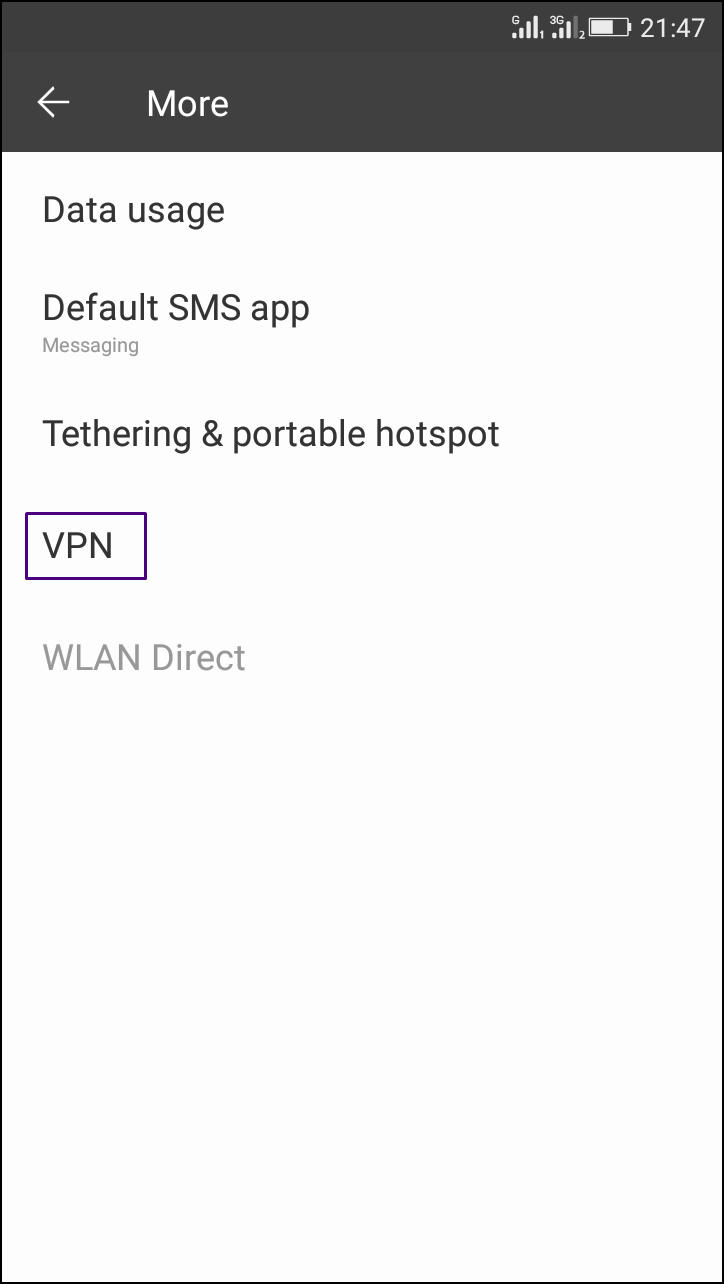
Step 2. Now click on VPN and a blank setting screen will appear.
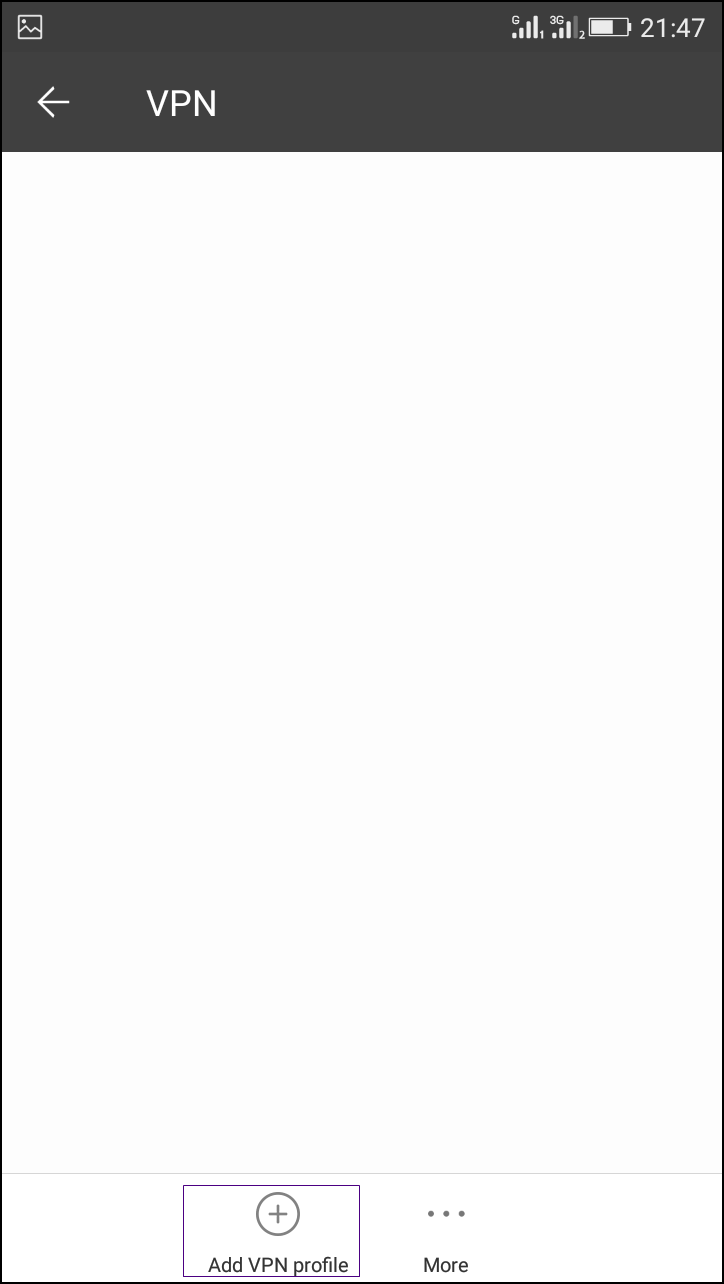
Step 3. Now click on ‘+ Add Vpn Profile’ button there at the left side down corner.
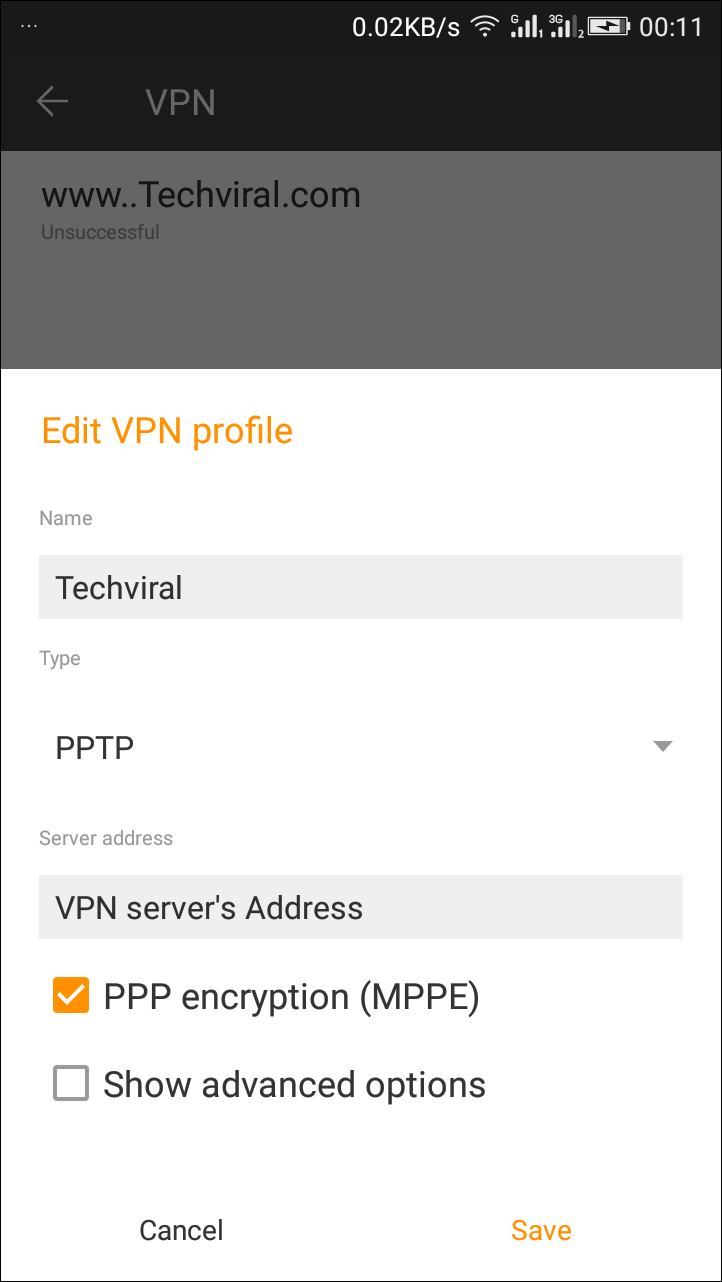
Step 4. Now enter the name of VPN as Techviral and at the type select the type you want to request to a server and at the last field enter any VPN address that you want to set for your android device.
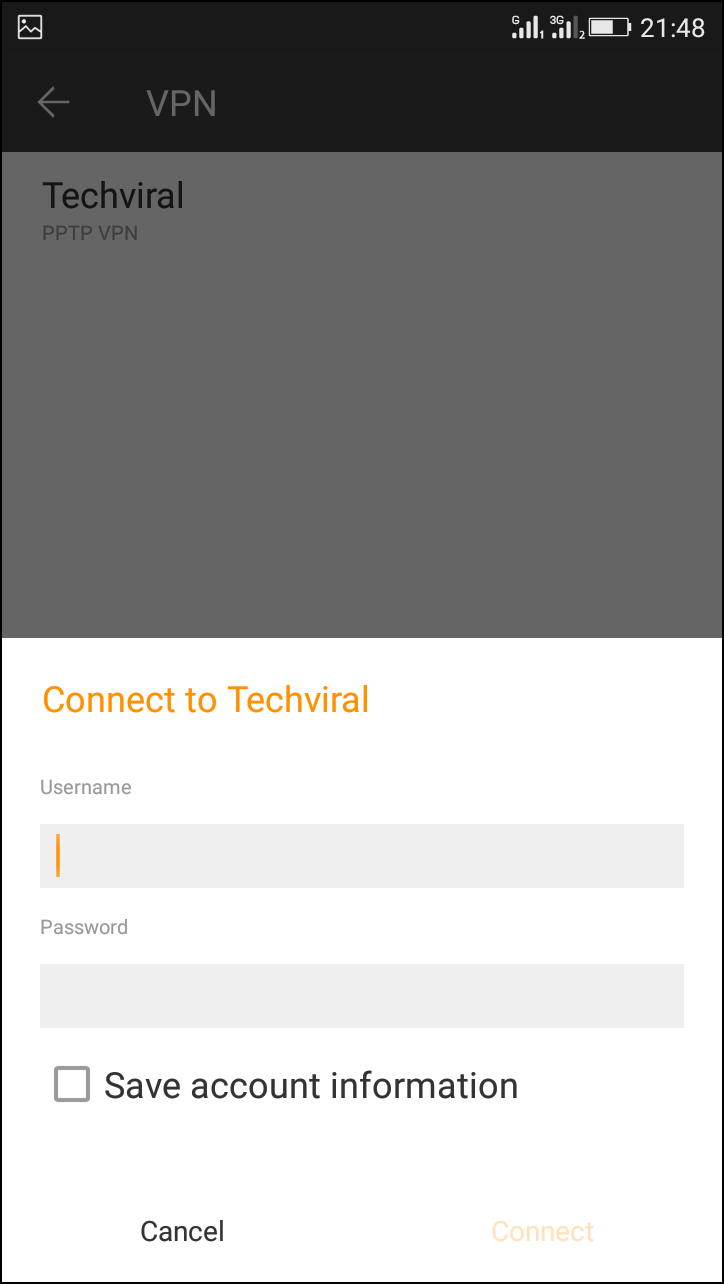
Step 5. After filling up all the fields click on save button. Now the VPN will appear tap on it and enter the username and password in it and click on connect.
Now in your notification bar, you will see running VPN service without any third party app in your android device.
So above is all about How To Setup VPN on Android Without Any App. By this, you can comfortably use a private and secure network and also you can access blocked sites and use the apps currently blocked on the network you have connected.
And with this, you can secure your device from the hackers to some extent. Hope you like the post, don’t forget to share it with your friends and leave a comment below if you are facing any trouble at any step.




0 comments :
Post a Comment